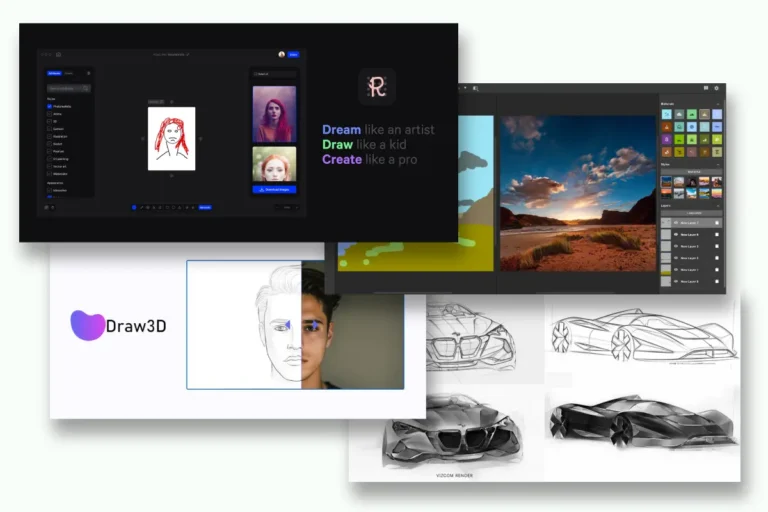
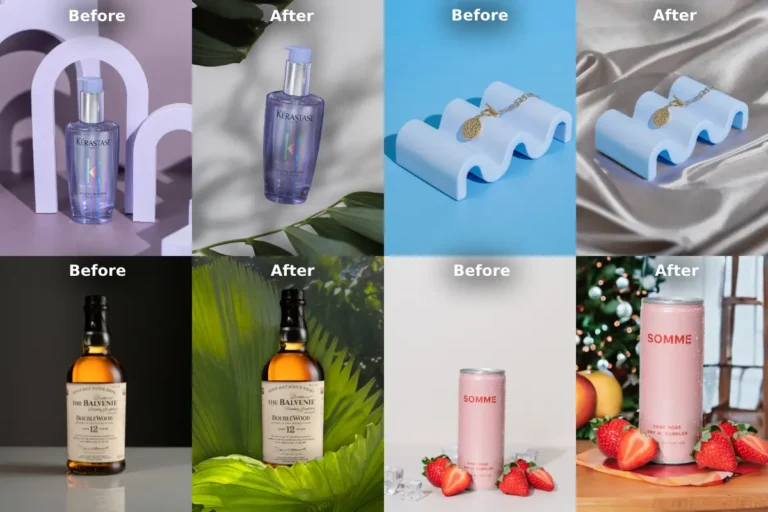
As a graphic design expert, I’ve spent years exploring tools that make creativity faster, smarter, and more fun. In 2025, AI is no longer optional – it’s essential. These tools automate tedious tasks, spark fresh ideas, and let you focus on what matters: your unique style. Below, I’ve curated 20 free Ai tools for graphic design that’ll level up your graphic design game without costing a dime. Let’s dive in!
Table of Contents
1. Designing (Ai Tools for Graphic Design)
Coolab.ai
- What it does: Type a prompt like “retro poster for a music festival,” and Coolab.ai generates a polished design in seconds.
- Why you’ll love it: Instant resizing for social media and a built-in scheduler. Perfect for brainstorming when you’re stuck.
- Best for: Quick, on-brand visuals for Instagram, TikTok, or event flyers.
Many creators also pair Coolab.ai’s fast visual generation with an Adobe online invitation maker when preparing cohesive assets for events.
Canva
- What it does: A classic design powerhouse now supercharged with AI. Use “Magic Design” to turn keywords into layouts or auto-remove backgrounds.
- Why you’ll love it: Free templates, brand-kit integration, and beginner-friendly tools.
- Best for: Social media posts, templates, presentations, and thumbnails.
Adobe Firefly
- What it does: Generate images from text, recolor artwork, or add textures like “glowing neon” to designs.
- Why you’ll love it: Integrates with Photoshop and Illustrator – ideal for pros and newbies.
- Best for: Adding unique, AI-powered flair to existing projects.
Alongside its image-generation power, many users pair Firefly’s outputs with the free Adobe brochure creator to turn visuals into structured brochures for campaigns or brand materials.
VistaCreate (formerly Crello)
- What it does: Offers AI-driven templates and animations for social media.
- Why you’ll love it: Pre-made designs and auto-suggestions keep your feed consistent.
- Best for: Animated Instagram Stories or TikTok posts.
2. Image Editing & Enhancement
Designify
- What it does: Instantly removes backgrounds, adds shadows, and enhances product photos.
- Why you’ll love it: Batch-edit 50 images at once – a lifesaver for e-commerce.
- Best for: Polishing online store photos without Photoshop.
Photopea
- What it does: A free Photoshop alternative with AI-powered object removal and filters.
- Why you’ll love it: Opens PSD files and works directly in your browser.
- Best for: Advanced edits when you’re on a budget.
Remove.bg
- What it does: One-click background removal for portraits or product shots.
- Why you’ll love it: Lightning-fast and free for basic use.
- Best for: Clean, professional-looking profile pics or product listings.
Pixlr
- What it does: AI-driven photo editor with filters, color correction, and background removal.
- Why you’ll love it: Mobile-friendly and perfect for quick touch-ups.
- Best for: Editing selfies or creating meme-worthy graphics.
🎮 Love drawing? Play our free online drawing game → graphicsgaga.com
3. Vector & Logo Design
Gravit Designer
- What it does: Browser-based vector design tool with AI color suggestions.
- Why you’ll love it: Scalable graphics for logos, icons, or illustrations.
- Best for: Crafting sleek, modern logos without Adobe fees.
Vexels
- What it does: Customizable vector designs powered by AI.
- Why you’ll love it: Thousands of templates for apparel, merch, or logos.
- Best for: Aspiring merch designers or small businesses.
DesignEvo
- What it does: AI logo maker with hundreds of templates.
- Why you’ll love it: Drag-and-drop simplicity and free downloads.
- Best for: Launching a brand identity in minutes.
4. Color & Typography
Khroma
- What it does: Generates color palettes based on your preferences.
- Why you’ll love it: Learns your style and suggests harmonious combos.
- Best for: Breaking out of “default palette” ruts.
Fontjoy
- What it does: AI pairs fonts that look amazing together.
- Why you’ll love it: No more guessing if “Comic Sans” clashes with “Helvetica.”
- Best for: Elevating posters or website typography.
5. 3D & Animation
Blender
- What it does: Open-source 3D design with AI-assisted lighting and rendering.
- Why you’ll love it: Create animations, models, or VR content for free.
- Best for: Aspiring 3D artists or game designers.
Spline
- What it does: AI-powered 3D modeling for web and interactive projects.
- Why you’ll love it: Real-time collaboration and no coding required.
- Best for: Adding 3D elements to websites or digital art.
Lumen5
- What it does: Turns blog posts into videos with AI-generated visuals and voiceovers.
- Why you’ll love it: Perfect for repurposing content into Reels or YouTube Shorts.
- Best for: Content creators who hate video editing.
6. Niche Tools for Specific Needs
Catalog Maker by GraphicsGaga
- What it does: Makes catalog with product details from your given excel/csv sheet filled with product details. No matter how large number of products you have, it is free.
- Why you’ll love it: It doesn’t require fast internet because it works natively in your browser. Fastest catalog maker tool.
- Best for: Online seller, e-commerce owner who wants a quick product catalog to present someone.
Artbreeder
- What it does: Mix images to create surreal artwork using AI.
- Why you’ll love it: Endless experimentation with portraits, landscapes, or abstract art.
- Best for: Digital artists craving unique, generative styles.
Stencil
- What it does: AI resizes designs for all platforms and suggests layouts.
- Why you’ll love it: Huge library of stock photos and icons.
- Best for: Bloggers needing quick, SEO-friendly graphics.
Krita
- What it does: Open-source digital painting with AI brushes mimicking real media.
- Why you’ll love it: Free alternative to Procreate for illustrators.
- Best for: Creating comic art or detailed illustrations.
Final Thought:
These tools aren’t about replacing creativity – they’re about amplifying it. Whether you’re designing a logo, editing photos, or animating a short video, AI handles the grunt work so you can focus on innovation. Start with 2-3 tools that match your goals (I’d recommend Canva + Coolab.ai for beginners), and experiment fearlessly. Remember, even Picasso had to learn his tools before making masterpieces
🎮 Love drawing? Play our free online drawing game → graphicsgaga.com