A QR code can be a simple way for restaurants to give customers access to a digital menu. Instead of printing several pages or asking customers to search for a restaurant’s website, you can place a small QR code on a table, counter, takeaway package, poster, or receipt.
The process is straightforward, but a restaurant QR code needs a little more thought than simply generating a code and printing it.
Customers need to be able to spot it, scan it quickly, and reach the menu without unnecessary steps.
Table of Contents
Start With Your Digital Menu
Before creating the QR code, make sure the menu itself is ready.
Your menu could be a webpage, online ordering page, PDF, or another mobile-friendly destination. Whatever you choose, open it on a phone and check how it looks before connecting it to the QR code.
Pay particular attention to:
- Menu loading speed
- Text size on mobile screens
- Food photos and descriptions
- Prices and availability
- Contact and ordering information
- Links to online ordering or reservations
The QR code only gets customers to the destination. If the menu is difficult to use once they arrive, the QR code cannot solve that problem.
Create a QR Code for Your Menu
Once you have the menu URL, you can turn it into a QR code.
A free QR code generator lets you create the code from your menu link and customize its appearance. If your restaurant has a logo, adding it to the QR code can also make the design feel more connected to your branding.
For a restaurant, you generally don’t need an elaborate design. A clean QR code with your brand colors and a small logo can work well.
Add Your Restaurant Logo
A logo can make a QR code easier to recognize as part of your restaurant’s branding.
For example, a coffee shop might place its logo in the center of the code and use the same colors found on its menus and signage.
Keep the logo reasonably small and make sure it doesn’t interfere with the important parts of the QR code. QR Codes have built-in error correction, with standardized levels ranging from approximately 7% to 30% of codewords that can be restored, depending on the selected level.
Error correction isn’t a reason to cover large portions of a QR code, though. The safest approach is still to leave the code clearly visible and test it after adding your logo.
Choose Colors That Are Easy to Scan
Your restaurant QR code doesn’t have to be plain black and white.
You can use your brand colors, but contrast should come first.
A dark QR code on a light background is generally easier to distinguish than a light QR code on a dark or busy background. Avoid placing the code over food photography, textured surfaces, or complicated patterns.
If you want to use your restaurant’s colors, try them on a simple background first. Then scan the result with a phone.
A QR code that looks attractive but doesn’t scan reliably isn’t doing its job.
Give the QR Code Enough Space
Don’t squeeze the QR code between other design elements.
QR Codes use a clear area around the outside of the symbol, known as the quiet zone. The QR Code specification calls for a margin around the symbol, so other graphics and text shouldn’t be pushed right against the code.
This is particularly important on restaurant tables where QR codes may be surrounded by table numbers, promotional messages, illustrations, or other information.
Leave some breathing room around the code.
Add a Short Instruction
Not everyone will immediately know what a QR code is supposed to do.
A simple instruction can make the purpose obvious:
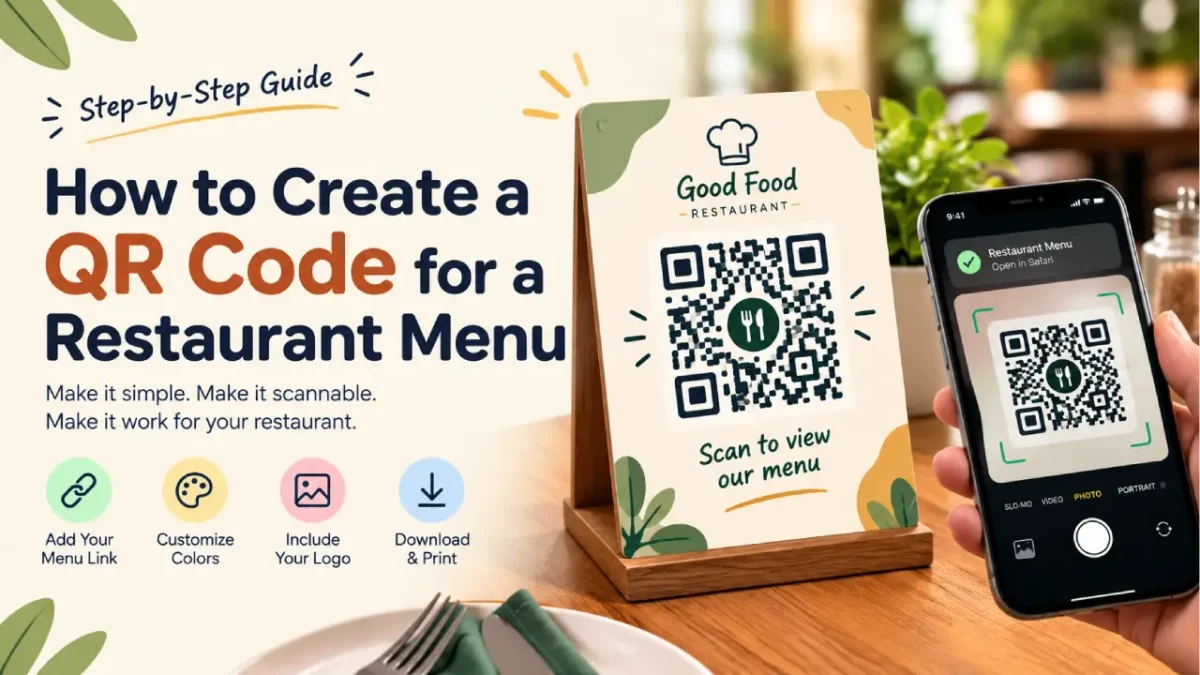
Scan to view our menu
or
Scan for today’s menu
This works especially well when the QR code is printed on a small table card.
You can also include a short fallback such as your website address underneath. That gives customers another way to reach the menu if their camera has trouble scanning the code.
Make It Large Enough for Tables
A QR code on a restaurant table is usually viewed from a short distance, so it doesn’t need to be enormous. But it should still be large enough for a phone camera to recognize comfortably.
Don’t judge the size only from your design software.
Print a test version at the actual size and place it on a table. Then try scanning it from the position where a customer would normally sit.
Try it in the lighting conditions you actually expect in the restaurant.
A code that scans perfectly in a bright office may behave differently in a dim restaurant.
Test the Printed Menu QR Code
Testing is one of the most important steps.
Before printing hundreds of table cards or stickers, scan the QR code several times.
Check that:
- The correct menu opens.
- The page works on a phone.
- The QR code scans from a normal sitting position.
- The printed code isn’t blurry.
- The logo doesn’t interfere with scanning.
- The background provides enough contrast.
- The destination doesn’t require unnecessary logins or downloads.
If you’re printing the QR code on packaging, test the actual packaging material too.
Keep the Menu Link Easy to Maintain
Restaurant menus change frequently.
Prices change, seasonal dishes appear, and items sometimes become unavailable. This means the page behind your QR code should be easy to update.
If possible, use one permanent menu URL and update the menu at that address instead of changing the QR code every time the menu changes.
That way, the same QR code can remain on your tables, packaging, signage, and printed materials.
Where Can You Put a Restaurant QR Code?
Once you’ve created and tested the code, there are plenty of places where it can be useful:
- Restaurant tables
- Counter displays
- Takeaway bags
- Food packaging
- Window posters
- Business cards
- Receipts
- Table tents
- Event menus
- Outdoor signage
You can also create different QR codes for different purposes, such as the menu, online ordering, reservations, customer feedback, or a restaurant’s social profile.
Create Your Restaurant QR Code
A restaurant QR code doesn’t need to be complicated.
Start with a reliable menu URL, create the QR code, add your branding if needed, and test the final design before printing it.
If you’re ready to create one, try the free QR Code Generator with Logo by GraphicsGaga.
The most important thing is not how unusual the QR code looks. It’s whether a customer can see it, scan it quickly, and get to the menu without friction.